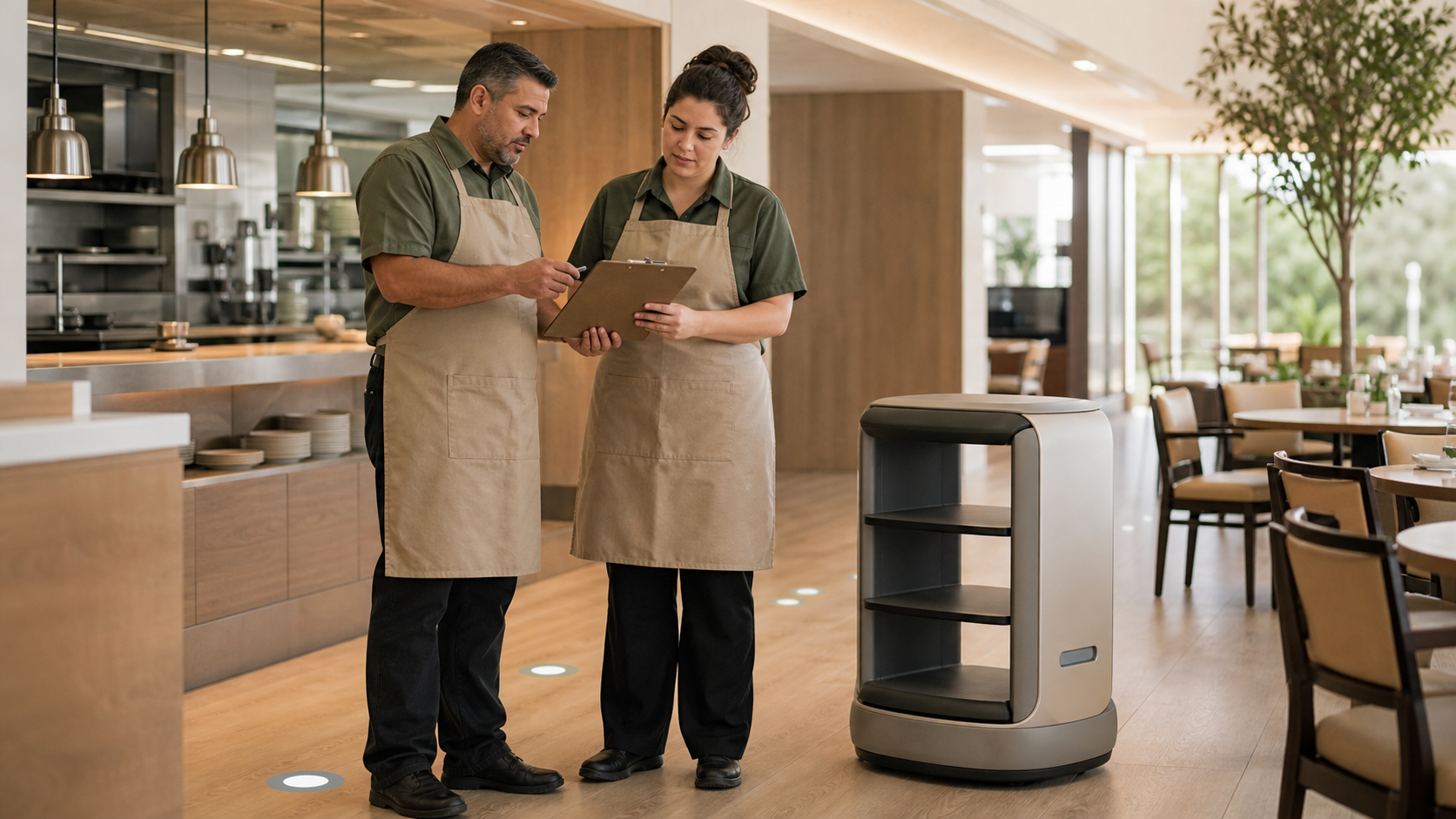
A dining robot can be easy to notice and hard to evaluate. The visible machine is only one part of the operating change. The real questions are whether it solves a specific service problem, fits the route between the kitchen and dining room, protects resident dignity, and gives staff more time for work that requires judgment and hospitality.
Those questions are timely. A recent D.C. senior living deployment uses a robot to carry food and drinks from the kitchen to dining areas. The report described reduced back-and-forth travel for staff, a trial period before the community kept the robot, resident feedback, and audible warnings because some residents may have low vision. Separate July senior-care robotics analysis identified meal delivery and dining-room support as current use cases while highlighting resident acceptance, privacy, safety, cost, and staff training.
The lesson is not that every community needs a robot. It is that an automation idea should begin as a measurable workflow hypothesis.
Editorial note
This article covers non-clinical dining operations. It does not replace accessibility, privacy, safety, infection-control, clinical, legal, labor, facilities, or local regulatory review. A POS can supply useful order and timing data, but it cannot by itself prove safety, resident acceptance, workload reduction, or improved care.
Start with the service problem
Do not begin with the device. Begin with the work that is pulling staff away from residents or creating an unreliable handoff.
The problem might be repeated trips from an expediting station to a distant dining room, trays waiting after they are ready, too many interruptions at the kitchen pass, or staff carrying loads that should be moved another way. Write the problem in one sentence and name where it occurs, during which meal period, and for which service route.
A strong starting statement is specific: “During weekday dinner, prepared trays wait at the pass because servers are alternating between resident service and a long kitchen route.” A weak statement is simply, “We need automation.”
Current cost pressure makes this discipline important. The National Restaurant Association's July outlook says food and labor remain the two largest restaurant cost categories and that operators need to stay focused on efficiency and productivity. That does not prove a robot will save money in a senior living community. It does support measuring any technology against a real operating baseline.
Before comparing devices, use the same approach you would use to evaluate a POS system with real service scenarios. Ask the team to show the current work, the exception paths, the information they need, and what happens when the tool is unavailable.
Map the complete handoff
A robot does not own the whole meal. People still receive an order, confirm resident and meal details, prepare the item, check the tray, select a destination, load the shelves, respond to exceptions, unload the item, serve the resident, clear the route, and resolve anything that went wrong.
Map those steps from the POS order through delivery. For each step, record:
- who is responsible;
- what information they need;
- which system or paper record supplies it;
- what confirms that the handoff is complete;
- what happens when the destination changes;
- who intervenes if the route is blocked or the device stops; and
- how staff preserve food quality, safety, and resident-specific requirements.
Teams reviewing senior living POS workflows should ask whether an automation pilot needs a real integration at all. A small pilot may be safer with a clearly assigned manual dispatch step. If an integration is proposed, document exactly which order fields, resident identifiers, destination data, timestamps, and status updates would move between systems.
Choose one bounded route
The best first pilot is narrow enough to observe. Choose one venue, one meal period, one route, and one type of task such as carrying sealed trays from the pass to a staffed receiving point. Avoid combining food running, bussing, room delivery, resident interaction, cleaning, and elevator travel in the same first test.
A bounded route makes the comparison fair. It also helps the team identify physical constraints: aisle width, turns, thresholds, fire doors, elevators, floor transitions, crowded intersections, mobility devices, emergency egress, wireless coverage, charging, and where the robot waits without obstructing people.
The WTOP deployment is useful because the robot's role is limited: staff load it, choose a destination, and continue the human service in the dining room. That is a workflow to study, not a universal template.
Build a POS-informed baseline
POS timestamps can describe part of the current flow. Depending on the configuration, the system may record when an order was opened, sent, changed, fulfilled, or closed. Those timestamps can help identify where delays appear, but their meaning must be verified with staff. A “completed” order may mean the kitchen finished it, a server picked it up, or a check was closed.
Establish the baseline before the robot arrives. For the selected route, consider:
- order-to-ready time;
- ready-to-dispatch delay;
- dispatch-to-receipt time;
- number of manual trips between the kitchen and receiving point;
- trays returned, redirected, delayed, or remade;
- service exceptions and who resolved them;
- staff time at the table or with residents;
- resident feedback; and
- safety, privacy, accessibility, or food-quality incidents.
Only some of those measures live in the POS. Staff travel may require a short observation sample. Resident experience needs an appropriate feedback method. Safety and privacy events need the community's established reporting process. The same principle applies to a POS-informed food-waste workflow: order data becomes more useful when it is paired with direct operational evidence.
Set a baseline window long enough to include normal variation, not just the busiest or smoothest shift. Record census, venue, meal period, staffing, menu complexity, special events, and known disruptions so the pilot is not credited or blamed for changes it did not cause.
Protect accessibility, dignity, and privacy
Accessibility cannot be added after the route is programmed. Invite residents, front-line dining staff, facilities, clinical or care-plan owners where appropriate, and accessibility reviewers into the pilot design.
The recent D.C. report noted that audible warnings were important for people with low vision. That is one example, not a complete accessibility review. Teams should evaluate sound volume and clarity, visual signals, speed, stopping distance, approach direction, reach range, shelf height, lighting, cognitive load, and how a resident can decline interaction or request human help.
The Senior Housing News dining interview frames technology as a way to improve efficiency and personalization while preserving human connection. Use that as a practical test: if the pilot causes staff to watch the machine instead of residents, creates confusion at the table, or turns a meal into a demonstration residents did not choose, the workflow needs to change.
Privacy depends on the device and configuration. Determine whether it uses cameras, microphones, mapping data, resident names, room numbers, voice recordings, analytics, or remote support access. Document what is collected, where it is processed, how long it is kept, who can access it, and what happens during support. Do not send more resident or order information than the task requires.
Run a controlled pilot
A pilot should answer a decision, not produce a photo opportunity. Write the hypothesis, baseline, success measures, stop conditions, owners, and review date before service begins.
For example: “On the selected dinner route, assisted transport will reduce ready-to-dispatch delay and repeated staff trips without increasing delivery exceptions, resident concerns, safety events, or staff workarounds.”
Run the existing workflow and pilot workflow under comparable conditions. Keep a short exception log with time, event, cause, response, and outcome. Review it with the employees doing the work. Averages can hide a serious near miss or a recurring workaround.
Use connected operational reporting only where it improves decision quality. The pilot record should remain understandable even if data comes from several systems.
Define stop conditions first
Stop or pause the pilot when a condition requires investigation. Examples include:
- a collision, near miss, blocked egress, or unsafe route behavior;
- a resident distress or repeated accessibility concern;
- a privacy or unauthorized-data event;
- a food-quality, temperature, identification, or delivery error;
- repeated wireless, navigation, charging, or dispatch failure;
- staff adding hidden work to keep the pilot running;
- unclear responsibility for an exception; or
- a vendor support gap during the agreed operating window.
Stopping is not the same as failing. A controlled stop protects residents and gives the team evidence needed to adjust the route, task, configuration, training, or decision.
Review integration and support
If the pilot proceeds, evaluate the whole operating model. Ask who maps and remaps routes, approves software updates, replaces batteries and parts, provides after-hours support, reviews logs, manages access, and restores service after an outage.
For a POS connection, verify:
- whether the integration is native, certified, third-party, or custom;
- the minimum data needed for dispatch;
- how duplicate, changed, voided, or delayed orders are handled;
- how a destination is validated;
- what status returns to the POS;
- what staff see when either system is offline;
- how test and production data are separated; and
- which company owns support when the handoff fails.
Compare total cost with the measured workflow value. Include equipment, mapping, network work, charging, maintenance, subscriptions, integrations, training, support, staff time, and any facility changes. Do not convert a short-term pilot result into a long-term savings claim without a defensible period of observation.
Automation readiness
Workflow checklist
- Define one specific service problem.
- Choose one venue, meal period, route, and bounded task.
- Map every human and system handoff.
- Verify what each POS timestamp actually means.
- Record baseline performance and operating context.
- Include residents and front-line employees in the review.
- Complete accessibility, privacy, safety, and facilities checks.
- Name pilot owners, support contacts, and exception responders.
- Set success measures and stop conditions before launch.
- Keep an exception log and review more than averages.
- Test the offline and manual fallback.
- Approve expansion only after the evidence supports it.
The bottom line
A dining robot is not a strategy by itself. The useful question is whether a bounded automation workflow makes service more dependable while protecting accessibility, dignity, safety, privacy, food quality, and human hospitality.
Start with the service problem, map the order-to-delivery handoff, use POS data as one part of the baseline, and decide in advance what would make the pilot continue, change, or stop. If the technology cannot make that case in a small, observable workflow, it is not ready for a larger role.
For a related operational view, explore ServingIntel senior living dining POS.